


SmartyMe: Micro Learning App
4.41.53K Reviews
App Specs
- Version
- 2.41.0
- Updated On
- License
- Free
- Downloads
- 1,000,000+
- Developer
- Apextech Ltd
- Categories
- Education
- Platform
- Android
Screenshots
 Analysis by AppCompare
When I want to learn something new but don’t have the time or energy for a full course, I’m more likely to open a short lesson than promise myself I’ll study later. That’s the appeal of SmartyMe: it makes small pockets of time feel usable without asking me to reorganize my day around learning. I see it as a convenient starting point for curiosity and everyday skill-building, rather than a replacement for focused study.
What a short lesson can—and can’t—do
The micro-learning format suits a quick break, a commute, or the few minutes before an appointment. A short session can introduce an idea or give me a useful reminder, but it is not automatically enough to build deep expertise. If I’m trying to master a demanding subject, I’d treat each lesson as a prompt to explore further, not as proof that I’ve learned the whole topic.
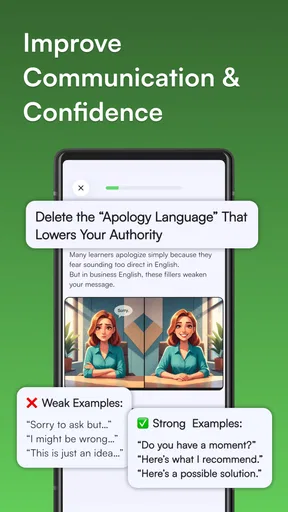
That distinction helps set realistic expectations for speed, too. I can get into a small learning session without committing to a long lecture, but quick access is different from quick mastery. For communication or productivity skills, a brief idea can be useful when I try it in a real conversation or work task afterward. For subjects that need practice and careful explanation, I’d pair short lessons with a book, course, or hands-on exercise.
A practical way to fit it into a day
One realistic routine is to choose a single topic during a quiet moment, take one lesson, and then write down one point I want to remember. Later, I can test that point at work or explain it to someone else. This gives a short session a purpose beyond filling time, and it helps me notice whether the material is actually useful to me.
I’d also avoid trying to cover too many unrelated topics in one sitting. Switching from one subject to another can be enjoyable, but it may leave me with a collection of interesting snippets rather than knowledge I can recall. A better approach is to follow curiosity when browsing, then spend a few sessions on one theme if I want the ideas to connect.
Who is likely to enjoy this format?
I’d recommend this kind of learning to someone who likes exploring new ideas but struggles to set aside a large block of time. It can also suit a student looking for a light introduction before studying a subject in depth, or a professional who wants occasional inspiration around communication and productivity. The key is to use the lessons as small building blocks, not expect every session to deliver a complete course.
It may be less satisfying if you prefer a structured syllabus, long explanations, or a clear path from beginner to advanced. In that case, a conventional course or a specialist learning app may be a better fit. Someone who already knows exactly what they need to learn may also prefer a reference resource that lets them search deeply, rather than a broad micro-learning experience.
Worth Reading Before You Choose

EA SPORTS FC Mobile 26 Is a Bigger Football Game, but It Takes Time

Flipboard Shows What News Apps Must Do Beyond the Feed

Switching to Android Auto Means Rethinking Your Driving Routine

Google Calendar Makes a Crowded Week Easier to Manage

Ludo King Makes the Most of the Minutes Between Plans

Baby Panda World Brings Quick Play to Modern Phones, but Its Game Library Feels Busy
How it compares with familiar learning options
Compared with a long video lecture, a micro-lesson is easier to fit into a spare moment, but it may not have room for the same depth or sustained argument. Compared with browsing articles, guided short lessons can make learning feel more deliberate, while independent reading gives me more control over sources and detail. I’d choose based on the task: a quick introduction when I’m curious, and a more substantial resource when I need reliable command of a topic.
The same trade-off applies to practice. Short explanations can help me notice an idea, but skills such as writing, speaking, or using a tool improve when I actually practise them. If a lesson sparks an idea, I’d turn it into a small action—rewrite a message more clearly, try a planning technique, or look up a concept in a trusted reference. That extra step is what makes bite-sized learning more than a pleasant distraction.
Quick Learning on the Go
The first thing that caught my attention was how convenient it is. The app is designed for micro-learning, which means you can dive into topics in just a few minutes. Whether you're waiting for your coffee to brew or sitting on the bus, those few spare minutes can now be productive. I mean, who doesn’t want to feel a little smarter each day?
SmartyMe breaks down complex subjects into digestible lessons. Imagine learning about the fundamentals of quantum physics or the basics of digital marketing without feeling overwhelmed. It's like having a personal tutor in your pocket, guiding you through with simple and engaging content.
Wide Range of Topics
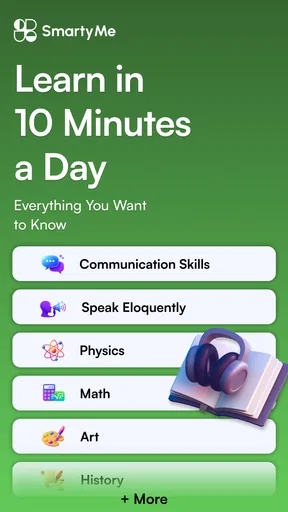
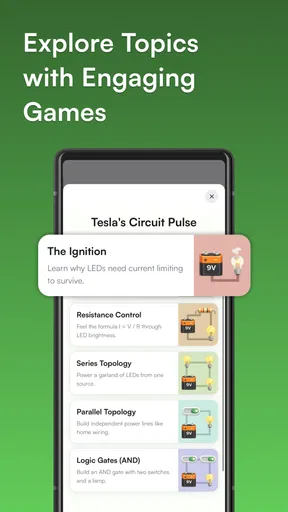
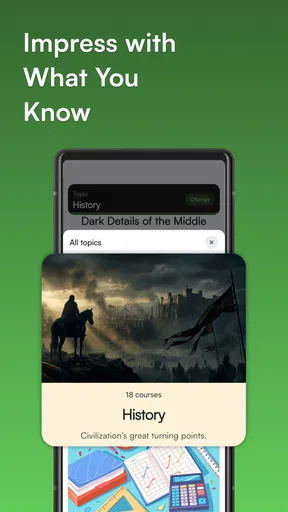
One of the things I absolutely love about this app is its diversity in content. From science and technology to arts and languages, there’s something for everyone. I found myself jumping from a lesson on ancient history to a quick dive into the world of artificial intelligence.
The lessons are structured in a way that keeps you hooked. They use a mix of text, images, and even short video clips to keep things interesting. So, if you’re someone who gets bored easily, this might just be your new favorite app!
Interactive Learning Experience
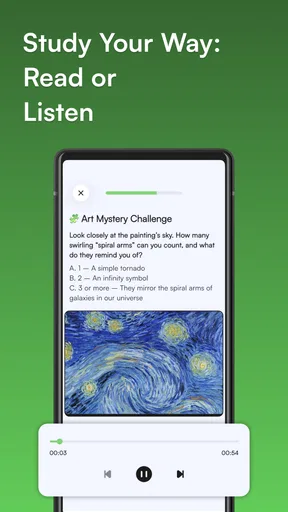
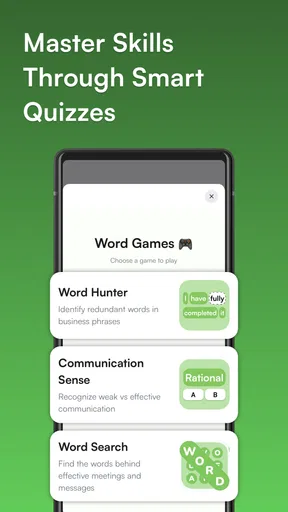
Now, let’s talk about the interactive features. SmartyMe isn’t just about passive learning. It actively involves you with quizzes and flashcards. These are not just your run-of-the-mill quizzes but are crafted to reinforce what you’ve learned in a fun and engaging way.
Plus, there’s a community feature where you can engage with other learners, share insights, and even ask questions. It’s like having a mini classroom right at your fingertips!
Using interaction to make lessons stick
When a lesson includes a quiz or flashcards, I’d use them as a quick check on what I can recall without looking, rather than simply tapping through to finish. Getting an answer wrong can show me which idea needs another pass; getting it right is useful, but it does not guarantee I’ll remember it next week. A practical habit is to pause after a lesson and explain its main point in my own words before moving on.
The community element can make learning feel less solitary, especially when I have a question or want to compare interpretations. I’d still keep expectations sensible: discussion can add perspective, but it is not a substitute for checking important claims against dependable sources. For a casual topic, sharing a useful takeaway may be enough; for something I plan to rely on professionally, I’d verify it elsewhere.
Seamless User Experience
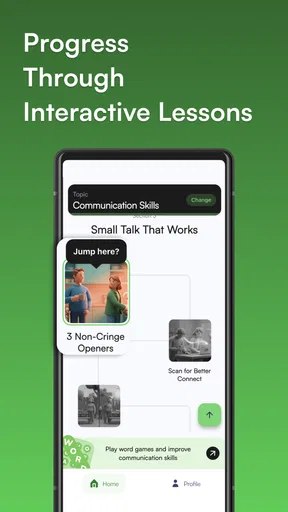
The user interface is sleek and intuitive, which is always a plus. You don’t want to spend ages trying to figure out how to navigate an app, right? With SmartyMe, everything is pretty straightforward. The lessons are well organized, and the search feature is super handy when you're looking for something specific.
Another thing I noticed is how smoothly the app runs. No lagging or crashing, which is a relief because there’s nothing more frustrating than an app that doesn’t cooperate!
Speed, stability, and everyday use
For this sort of app, the most useful kind of speed is being able to get from a free moment to a lesson without a lot of fuss. The straightforward layout and search make that feel like the right expectation: I can look for a subject when I have one in mind, or browse when I’m just curious. I wouldn’t judge the experience by how many lessons I can race through; a little time to think is part of learning.
My experience with smooth operation is reassuring, but no app can be guaranteed to behave identically on every device or connection. If something interrupts a session, I’d reopen the lesson and check what I remember before repeating it. That turns a possible interruption into a simple recall check. I’d also avoid relying on a lesson during a moment when I cannot give it any attention, such as when I need to focus on navigating traffic.
Device fit and value to consider
SmartyMe is an education app from Apextech Ltd. It is free to download, carries a Teen content rating, and its current version is 2.23.0; the listed minimum operating system is 7.0. Those details make it easier to decide whether it is suitable for your device and household. The app also offers in-app purchases, priced from $9.99 to $99.99 per item, so I’d check the purchase options carefully before paying for anything and decide whether the free experience already meets my needs.
Its average rating is 4.4 from around 12,000 ratings, and it has over 100,000 installs. That gives a prospective user some context about its reach, though popularity alone cannot tell me whether its teaching style suits me. I’d try a few lessons across different topics first, then judge whether the format and depth match what I want before considering an in-app purchase.
Why You Should Give It a Try
So, if you’re looking to expand your knowledge without committing to long, boring lectures, SmartyMe is definitely worth a download. It’s perfect for busy bees who want to learn on the go, and the best part is, you actually retain information because of how it’s structured.
Plus, with the app’s engaging content and interactive features, learning feels less like a chore and more like a fun activity. Who knew education could be this entertaining?
My performance verdict
For me, the strongest case for SmartyMe is the low-friction format: it can make a short break feel purposeful, and the mix of lesson material and interaction offers more than simply skimming a random article. The main limitation is the same one that comes with any bite-sized approach: brief sessions can introduce ideas, but they do not replace sustained practice or a carefully sequenced course. I’d use it as a companion for curiosity and small learning habits, not as my only resource for a high-stakes goal.
All in all, SmartyMe is a fantastic tool for anyone looking to make the most of their idle time. Whether you’re a student, professional, or just someone with a curious mind, this app is a great companion in your learning journey.
So, go ahead and give it a shot. You might just find yourself a little smarter every day!
Pros
- Engaging bite-sized lessons.
- Wide variety of subjects available.
- User-friendly interface design.
- Offline access to content.
- Customizable learning paths.
Cons
- Limited free content options.
- In-app purchases can be costly.
- Occasional performance lags.
- Requires internet for updates.
- Notifications can be intrusive.
FAQs for SmartyMe: Micro Learning App
What is SmartyMe and how does it work?
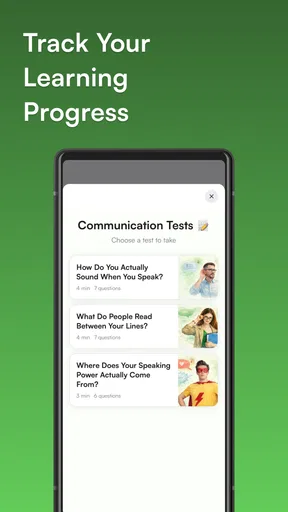
SmartyMe is a micro-learning app designed to deliver quick, digestible lessons on a variety of subjects. It uses short, engaging modules that can be completed in just a few minutes, making it perfect for learning on the go. The app tracks your progress and tailors content to match your interests and pace.
Is SmartyMe suitable for all age groups?
Yes, SmartyMe is designed to cater to a wide range of age groups. The app offers content that is appropriate for children, teenagers, and adults, with topics spanning from basic math to advanced history. Parents can also set up child profiles to ensure age-appropriate content is delivered.
Does SmartyMe require an internet connection to function?
SmartyMe requires an internet connection to download new content and updates. However, once lessons are downloaded, they can be accessed offline, allowing users to learn without an active internet connection. This feature is incredibly useful for those who wish to learn during travel or in areas with limited connectivity.
What subjects can I learn with SmartyMe?
SmartyMe offers a diverse array of subjects, including languages, science, math, history, and personal development. The app continuously updates its library to include trending topics and niche interests. Users can customize their learning paths by selecting specific subjects they wish to explore.
Is there a cost associated with using SmartyMe?
SmartyMe offers a free version with access to basic content. However, to unlock premium features and more comprehensive lessons, users can opt for a subscription. The subscription is available on a monthly or yearly basis, providing access to exclusive content and an ad-free experience.


